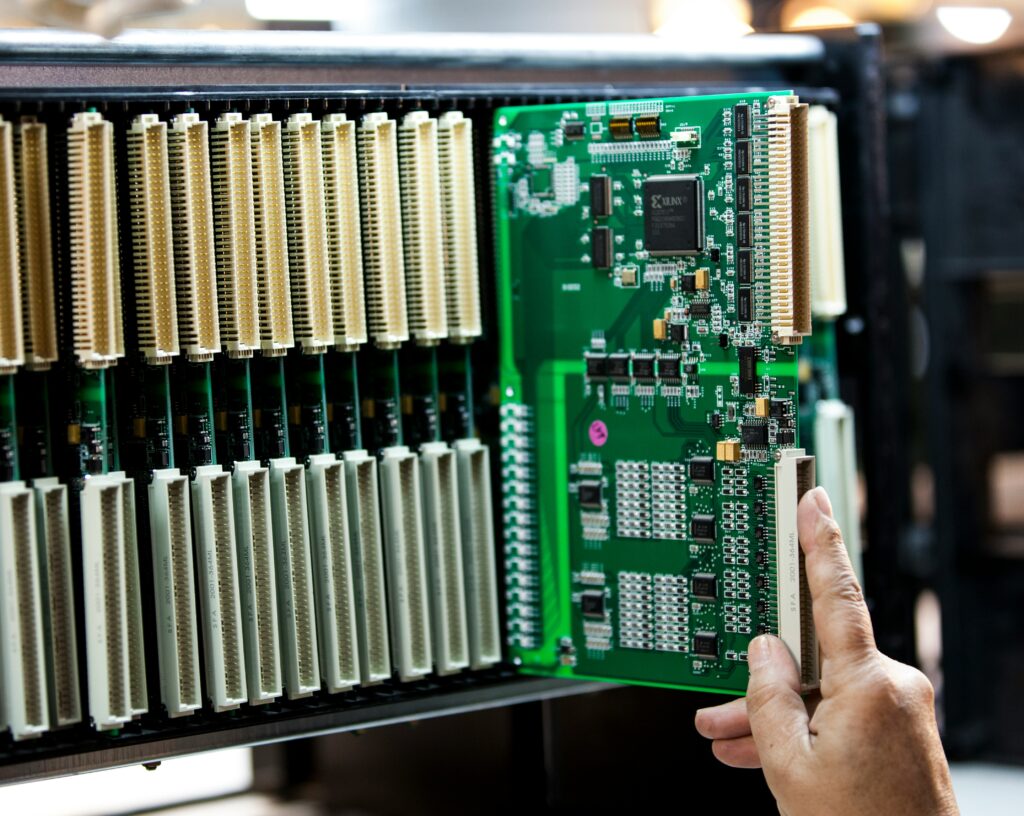
Why Storage Matters in Embedded Systems
In embedded systems, storage isn’t just a place to stash data it’s part of the core engine. The efficiency of your storage stack directly impacts system speed, boot times, and real time responsiveness. Sloppy storage design creates drag; smart storage speeds things up.
I/O bottlenecks are one of the most common performance killers. When your system has to wait on storage due to slow read/write speeds or high latency it impacts everything upstream. Navigation lags, sensor inputs get delayed, and worst of all, users notice. High performance CPUs can’t do much if they’re stalled by sluggish storage.
The type of flash memory you pick matters. eMMC is common in cost sensitive applications and offers decent performance for general purpose use. It’s better than traditional SD cards but doesn’t handle random access workloads gracefully. NOR flash is fast for reads and suits code execution, making it useful for bootloaders or firmware heavy devices. NAND is higher density and faster for writes, ideal for applications demanding frequent data logging or media rich content. Picking the right flash type isn’t a budget call it’s about matching hardware to workload.
If you want your embedded system to actually feel fast, start at the storage layer. That’s where speed either gets liberated or strangled.
Smart Storage Architecture Choices
When it comes to embedded systems, your file system choice can make or break performance. You’re not tossing in a one size fits all ext4 and calling it a day. Lightweight file systems like YAFFS, JFFS2, and F2FS are built with flash in mind. YAFFS works well with raw NAND, reliable and lean. JFFS2 handles wear leveling and compression out of the box, good for older setups. F2FS is the newer player designed for NAND and tuned for faster access speeds. It’s the go to for modern devices where speed meets longevity.
Partitioning matters too. A sloppy layout means your system ends up writing the same data 10 times over. That’s write amplification and it chews through your flash lifespan. Smart strategies break storage into focused partitions. Think: one for logs, one for firmware, and another for user data. Each gets optimized handling, and you reduce churn by isolating high write zones.
The final layer is about trade offs. Balancing read/write performance with endurance isn’t optional it’s survival. Fast writes usually hit flash harder. So if your app writes constantly, lean toward durability. If it’s mostly read heavy, prioritize speed. And don’t forget garbage collection settings or mount options those tiny tweaks can add years to your flash and shave seconds off boot times.
Get the architecture right early. You’ll thank yourself when the system’s still running smooth five years down the line.
Data Management for Speed
Storage performance isn’t just about hardware it’s just as much about what we write, when, and how often. Every unnecessary write eats into flash life and slows everything down. Start by cutting the fat: logging should be clean, capped, and conditional. Don’t log what you don’t need. Temporary files? Clear them aggressively or avoid them altogether with in memory alternatives.
Next up: caching. When done right, intelligent caching reduces I/O load and speeds up repeat access. Keep hot data in faster memory tiers, ditch stale cache early, and don’t waste time reloading what you already know.
Compression’s another tool in the kit but with nuance. Smaller files don’t always mean faster systems. If decompression eats more CPU than it’s worth, you’re trading one bottleneck for another. Use lightweight algorithms where possible and compress selectively.
Finally, manage flash like it matters because it does. Techniques like wear leveling spread out write cycles evenly, preventing hotspots from burning out. Garbage collection, if tuned poorly, can spike latency. Pace it smartly or move it off critical paths. These aren’t afterthoughts they’re core to building speedy, durable devices.
Firmware Level Improvements

Fast boots start with smarter storage handling at the firmware level. One of the quickest wins? Optimizing filesystem initialization. Avoid scanning the entire storage block by block when a simple checksum or journal replay will do. Stripping out bloated init scripts and preloading only what’s needed saves milliseconds that add up fast.
Next up: the Flash Translation Layer (FTL). This hidden layer maps logical blocks to physical flash locations, and it’s often the silent culprit behind sluggish boots. Fine tuning FTL parameters like garbage collection timing or page mapping strategy can shave crucial delays off startup. For embedded systems using NAND, balancing wear leveling aggressiveness with write speed is key too much write optimization, and you accidentally delay access.
Finally, lock in storage speed gains with firmware tuning. This includes reducing I/O calls during startup, tightening bootloader behavior, and configuring the kernel to avoid full device scans. Many of these are single line tweaks that get overlooked but have outsized effects on boot timelines.
For targeted advice and actionable steps, check out these firmware tuning tips.
Real Time OS Considerations
Storage can’t stall the system. In real time environments, blocking delays are a deal breaker. That’s why how storage is scheduled matters a lot. Smart embedded systems use non blocking I/O access patterns that let critical tasks keep moving while lower tier processes wait their turn. Cooperative multitasking and asynchronous operations often step in here, helping maintain system flow.
Next, not all data is created equal. Logging heartbeats from a sensor isn’t the same as saving emergency shutdown routines. Storage channels should reflect that, with high priority data streams getting faster write paths or reserved bandwidth. Allocating resources based on task importance lets time sensitive operations bypass chokepoints.
Finally, syncing with minimal latency requires removing the clutter. Streamlined file system access, reduced locking, and staggered writes help shave microseconds that add up. Some teams use dedicated threads for storage, others rely on RTOS native file systems optimized for speed. Either way, the goal is the same: keep your storage out of your critical path.
Dev Practices That Drive Results
Optimizing storage in embedded systems isn’t just about what hardware you choose it’s about how you build, test, and maintain the system from day one.
Start with benchmarking. Don’t rely on assumptions. Use tools like iozone, bonnie++, or custom profiling scripts tailored to your workload. Measure read/write latency, throughput, and block size performance in actual deployment conditions not just lab setups. Once you know your performance baselines, real improvements begin.
Keep the firmware lean and modular. Bloat slows down everything boot times, I/O handling, and updates. Stick to the essentials, separate concerns cleanly, and compile only what’s needed. Modular firmware makes it easier to test isolated components and track down performance bottlenecks later.
Continuous monitoring doesn’t just belong in the data center. In embedded contexts, monitoring tools that log I/O patterns and detect slowdowns can catch early signs of wear or problematic software behavior. If it takes 10 milliseconds today and 30 tomorrow, you want to know why before the user notices.
Repeatability is king. Build systems should control partitioning, file system formats, and data layout every time you recompile. If you’ve optimized storage layout for performance gains, don’t let those tweaks get lost in the next firmware push. Lock them in with automation and CI/CD routines.
And for additional edge, refine your process with direct firmware level adjustments. Check out these firmware tuning tips. Used correctly, they reinforce everything above and squeeze more speed out of the hardware you already have.
Wrapping It All Up
Optimizing embedded system performance often focuses on CPU cycles and memory usage yet one of the most impactful levers lies at the storage layer.
Why Storage Optimization is Foundational
Your system’s responsiveness, boot time, and general throughput are all shaped by how well your storage is utilized. With embedded applications becoming more complex, underestimating storage design is no longer an option.
Storage access impacts task scheduling, I/O rates, and user perceived speed
Poor storage planning can introduce bottlenecks that worsen over time
Efficient storage underpins stable, scalable embedded solutions
Small Tweaks, Big Results
Even modest improvements can cascade into measurable performance gains. Consider the impact of adjusting a few core storage behaviors:
Switching file systems to ones optimized for flash memory (e.g., F2FS)
Removing redundant writes to reduce wear and free up cycles
Fine tuning cache behavior to better align with real world usage patterns
These may seem minor, but in constrained systems, they pay exponentially over time.
Keep Evolving with the Ecosystem
New technologies aren’t slowing down and neither should your approach. Future ready embedded developers continually refine their storage strategies in response to evolving hardware and software standards.
New file system options are emerging to better support wear leveling and speed
Flash memory types are diversifying, requiring tailored access strategies
Tools for profiling and tuning firmware are more effective and accessible than ever
Takeaway: Performance gains aren’t one time wins. Storage plays a key role in repeatable, scalable success across embedded deployments. Prioritize it like you would your CPU budget or RAM footprint.
 There is a specific skill involved in explaining something clearly — one that is completely separate from actually knowing the subject. Othlina Veythanna has both. They has spent years working with insight influx in a hands-on capacity, and an equal amount of time figuring out how to translate that experience into writing that people with different backgrounds can actually absorb and use.
Othlina tends to approach complex subjects — Insight Influx, Digital Innovation Pathways, Doayods Edge Computing Strategies being good examples — by starting with what the reader already knows, then building outward from there rather than dropping them in the deep end. It sounds like a small thing. In practice it makes a significant difference in whether someone finishes the article or abandons it halfway through. They is also good at knowing when to stop — a surprisingly underrated skill. Some writers bury useful information under so many caveats and qualifications that the point disappears. Othlina knows where the point is and gets there without too many detours.
The practical effect of all this is that people who read Othlina's work tend to come away actually capable of doing something with it. Not just vaguely informed — actually capable. For a writer working in insight influx, that is probably the best possible outcome, and it's the standard Othlina holds they's own work to.
There is a specific skill involved in explaining something clearly — one that is completely separate from actually knowing the subject. Othlina Veythanna has both. They has spent years working with insight influx in a hands-on capacity, and an equal amount of time figuring out how to translate that experience into writing that people with different backgrounds can actually absorb and use.
Othlina tends to approach complex subjects — Insight Influx, Digital Innovation Pathways, Doayods Edge Computing Strategies being good examples — by starting with what the reader already knows, then building outward from there rather than dropping them in the deep end. It sounds like a small thing. In practice it makes a significant difference in whether someone finishes the article or abandons it halfway through. They is also good at knowing when to stop — a surprisingly underrated skill. Some writers bury useful information under so many caveats and qualifications that the point disappears. Othlina knows where the point is and gets there without too many detours.
The practical effect of all this is that people who read Othlina's work tend to come away actually capable of doing something with it. Not just vaguely informed — actually capable. For a writer working in insight influx, that is probably the best possible outcome, and it's the standard Othlina holds they's own work to.