I’ve fixed enough broken screens and dead batteries to know that most device problems don’t need a repair shop.
You’re probably here because something stopped working and you’re tired of paying someone else to fix it. Or maybe you just want to stop throwing away perfectly good tech.
Here’s the reality: most repairs are simpler than you think. The repair industry wants you to believe you need specialized skills. You don’t.
I spent years learning what actually breaks in consumer electronics and how to fix it safely. Smartphones, laptops, tablets. The patterns are pretty consistent.
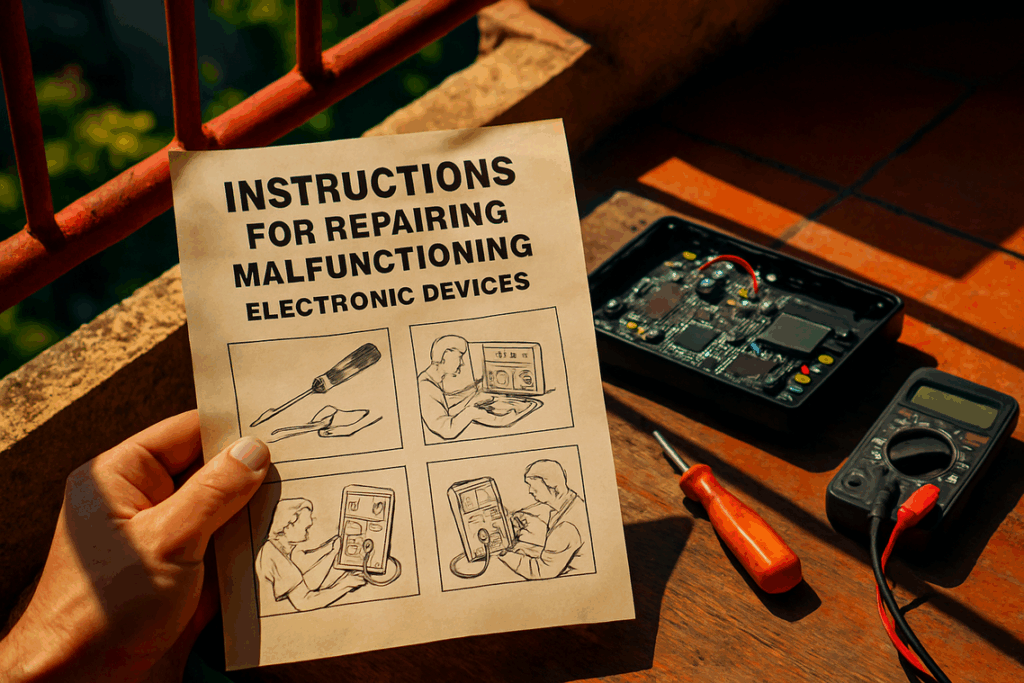
This guide covers the basics you need to start repairing your own devices. I’ll show you which tools matter, how to stay safe, and how to tackle the most common problems.
We pull from established repair practices that professionals use every day. The same techniques that work in repair shops work at your kitchen table.
You’ll learn the foundational skills that apply across different devices. Not every possible repair, but the ones you’ll actually need.
No special training required. Just a willingness to learn and some basic tools.
fixes doayods believes you should own your tech completely. That includes knowing how to keep it running.
Your Essential Toolkit: The Right Gear for the Job
I learned this lesson the hard way.
A few years back, I tried fixing my friend’s iPhone with a flathead screwdriver I found in my kitchen drawer. (Yeah, I know.) I stripped two screws and left a nice scratch across the aluminum frame.
Cost me $80 to fix my fix.
Here’s what nobody tells you about repair work. The tools matter more than your skill level. You can watch a hundred YouTube tutorials, but if you’re using the wrong gear, you’ll mess something up.
Some people say you can get by with whatever’s lying around. That a screwdriver is a screwdriver. They’ll tell you buying a proper toolkit is just throwing money at a problem.
But that’s how you end up with permanent damage.
The Non-Negotiables
You need a precision screwdriver set. Not the kind from your dad’s garage. I’m talking about Pentalobe, Torx, and Phillips bits that actually fit modern electronics.
Spudgers and opening picks come next. These plastic prying tools separate components without leaving marks. Metal tools will scratch everything they touch.
Get yourself some tweezers too. You’ll drop a tiny screw inside a laptop case and suddenly understand why.
A suction cup lifts smartphone screens. And isopropyl alcohol at 99% or higher? That’s your best friend for cleaning and removing adhesive. (The 70% stuff from the pharmacy won’t cut it.)
I keep all this in a small case from doayods. Everything stays organized and I’m not hunting for bits when I’m three steps into a repair.
When You’re Ready to Go Deeper
A digital multimeter lets you test if components are actually dead or just disconnected. Game changer for diagnosing problems.
And if you want to do board level work, you’ll need a soldering iron. Replacing charging ports and capacitors requires it.
But start with the basics first. Master those before you start melting solder.
Safety First: The Cardinal Rules of Electronics Repair
You can’t fix what you’ve electrocuted yourself with.
I learned that the hard way when I was 16. Cracked open an old CRT monitor without discharging the capacitor first. The shock threw me back three feet and left my arm numb for hours.
Don’t be me.
Rule #1: Disconnect All Power
This one sounds obvious but people skip it all the time. Unplug the device from the wall. Then if there’s an internal battery, disconnect it the moment you get inside.
No shortcuts here.
Rule #2: Beware of Stored Energy
Capacitors are sneaky. They hold charges long after you’ve unplugged everything. Power supplies in TVs and monitors? Those can store enough juice to stop your heart.
Learn to spot them. Learn to discharge them safely. Or better yet, don’t touch them until you know what you’re doing.
Rule #3: Prevent Electrostatic Discharge
Here’s the weird part. You’re more dangerous to the device than it is to you (most of the time).
That static shock you get from a doorknob? It’ll fry a microchip instantly. Get an anti-static wrist strap and an ESD-safe mat. At doayods, we see people destroy perfectly good components because they skipped this step.
Your body is basically a walking lightning bolt to sensitive electronics.
Rule #4: Stay Organized
Use a magnetic mat or small containers for screws. I’m serious about this one.
A single loose screw can crack a screen or short out a logic board. Then you’re not just fixing the original problem. You’re fixing the problem you created.
First Repairs: Three Common Fixes You Can Do Today

You don’t need to be a tech wizard to fix your own gear.
I started with zero experience. Just a broken phone and a YouTube video. Now I handle most of my repairs without thinking twice about it.
The payoff? I’ve saved thousands of dollars over the years. Plus there’s something satisfying about breathing life back into a device everyone else would’ve tossed.
Let me walk you through three repairs that’ll get you started.
Smartphone Battery Replacement
Your phone slows down after a year or two. Most people assume they need a new one. But usually it’s just the battery.
Here’s how you swap it. Heat the back panel gently with a hair dryer to soften the adhesive. Use a suction cup to create a small gap, then slide a plastic pick around the edges. Once you’re in, disconnect the old battery and pop in the new one.
Takes about 20 minutes. Costs maybe $30 instead of $800 for a new phone.
Laptop RAM or SSD Upgrade
This one’s even easier and the performance boost is immediate.
Flip your laptop over and remove the bottom panel. You’ll see the RAM slots and drive bay right there. For RAM, just push the retention clips outward and the stick pops up. Swap it and click the new one in. For an SSD, unscrew the drive caddy and slide in your new drive.
I did this on my old laptop and it went from unusable to running like new. The whole process took 15 minutes.
Cleaning a Dusty Game Console or PC
Dust kills electronics. It clogs fans and traps heat until components fail.
Open the chassis (usually just a few screws). Grab a can of compressed air and use short bursts to clear dust from fans and heatsinks. Don’t hold the trigger down or you’ll freeze the components.
Your system will run cooler and quieter. I do this every six months and my gaming rig has lasted twice as long as my friends’ systems.
Want to go deeper? Check out version doayods for more advanced fixes doayods and repair strategies.
Start with one of these three. You’ll realize most repairs aren’t scary at all.
Proactive Maintenance: How to Prevent Failure
Your tech is going to fail eventually.
That’s just how it works. But here’s what most people don’t realize.
You can push that failure date way into the future if you actually take care of your stuff.
I’m talking about simple maintenance. The kind that takes five minutes but saves you hundreds of dollars and hours of frustration.
Let me break this down for you.
Physical Maintenance
First up, your vents need to breathe.
Check your laptop or console every few weeks. If dust is blocking the air intake, your device will overheat. And overheating kills components faster than anything else.
Just use a can of compressed air. Takes two minutes.
Your cables matter too. I see people yanking their charging cables at weird angles all the time. That’s how you end up with frayed wires and broken ports.
Keep them straight when you plug in. No sharp bends.
And your screens? Use a microfiber cloth. Not your shirt. Not a paper towel. Those scratch the surface over time.
Digital Maintenance
Now let’s talk about what you can’t see.
Your battery has a lifespan. Keeping it at 100% all the time or letting it die completely? Both bad moves.
Try to keep it between 20% and 80%. Your battery will last way longer. (I learned this the hard way after killing three laptop batteries in two years.)
Software updates aren’t just annoying popups. They patch security holes and fix bugs that slow your system down.
Set them to install automatically if you keep ignoring them.
Look, I know maintenance sounds boring. But at doayods, we’ve seen what happens when people skip it. Devices that should last five years die in two.
You don’t need to be a tech expert. You just need to spend a few minutes every month keeping things clean and updated.
That’s it.
Know Your Limits: When to Call a Professional
I fix a lot of my own tech. But some repairs? They’re just not worth the risk.
You might think you can handle anything with the right YouTube tutorial. And honestly, I’ve seen people pull off some impressive fixes that way. But here’s where that thinking falls apart.
Board-level repair needs microsoldering. That means replacing a chip or port that’s soldered directly to your main logic board. You need a microscope, a steady hand, and equipment that costs more than most people’s entire tech setup.
One wrong move and you’ve turned a $200 fix into a $800 paperweight.
Cracked screens on modern flagships are another story. These devices use so much adhesive that you need specialized heating equipment just to get inside without breaking something else. I’ve watched people try this with a hairdryer (it never ends well).
Then there’s data recovery from a physically failed drive. If your storage has actually died, you need a cleanroom environment. Dust particles you can’t even see will destroy your data permanently.
This is where something like a doayods patch comes in handy for software issues. But physical drive failure? That’s beyond what any software can fix.
I’m not saying this to scare you. I’m saying it because I’ve seen too many people turn a fixable problem into an expensive disaster by pushing past their skill level.
Know when to call someone who does this for a living.
From Consumer to Capable Owner
I get it. You’re tired of tossing out devices that should still work.
That $800 laptop shouldn’t become e-waste just because the fan sounds like a jet engine. Your phone doesn’t need replacing because the battery dies by noon.
You came here to learn how to fix your own stuff. Now you have the foundation.
The tools aren’t complicated. The safety procedures are straightforward. Most repairs are simpler than you think.
Here’s the truth: You don’t need to master everything at once. Start small and build from there.
Every repair you complete saves you money. It also keeps another device out of a landfill (and that adds up fast).
Pick something simple for your first project. Clean out that dusty laptop fan. Upgrade your RAM. Replace a cracked phone screen if you’re feeling ambitious.
Doayods breaks down the technical barriers so you can actually do this work yourself. We show you the real steps without the gatekeeping.
Your next device doesn’t have to end up in the trash. You can fix it instead.
Start today with one repair and see how it feels. Homepage. Doayods Patch.